
Give the reader a clear picture of the month.
A monthly investor update should include a short summary, comparable operating metrics, cash and runway, progress, challenges, specific asks and the next priorities. Put the reporting period and currency beside the numbers. Use the same definitions each month, and explain any corrections.
An update is useful when someone can see what has changed and decide how to help. “We had a busy month” leaves them guessing. “Revenue grew, but our sales hire is late, so we need candidate introductions” gives them something to work with.
This guide offers our practical format, a blank template and a fictional example. You can copy or download both without creating an account. The RadarLab preview further down requires a free account to view and save your own result.
1. Choose the content before polishing the prose.
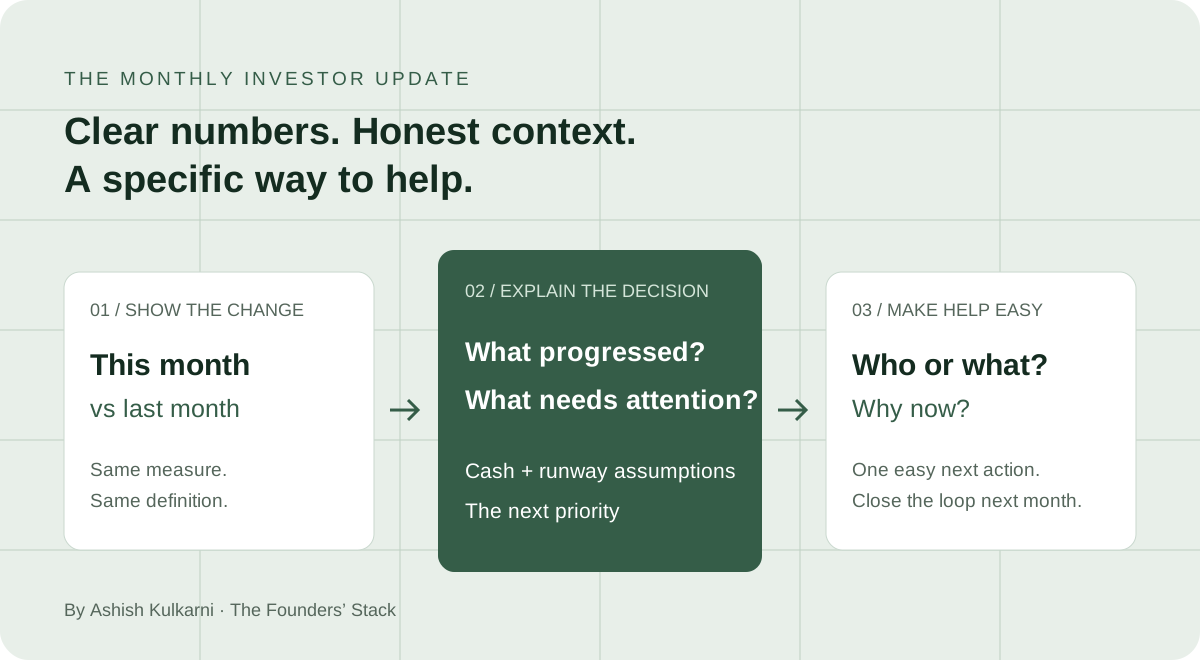
Start from your previous update, your reporting records and the commitments you made last month. Separate what happened from what you hope will happen. A forecast belongs beside its assumptions; a completed milestone belongs beside its evidence.
| Section | What belongs here | What the reader should learn |
|---|---|---|
| Summary | One or two sentences on the month and current priority. | What matters before reading the details. |
| Metrics and cash | A small set of relevant measures, prior period comparisons, available cash and burn assumptions. | How the business and cash position changed. |
| Progress | Outcomes, including progress against the previous update’s goals. | What moved forward and how you know. |
| Challenges | The problem, its impact and your response. | What needs attention and who owns it. |
| Asks | A specific introduction, candidate, decision or piece of advice. | What they can do next. |
| Next priorities | One or two milestones with a date or measure. | What to look for in the next update. |
Keep the core message short enough to scan. Add supporting detail when a decision needs it, rather than listing every activity. NFX’s guidance on investor updates also recommends a repeatable format, clear requests, candid challenges and visible cash runway.
2. Make the numbers comparable.
Choose metrics that explain your business at its current stage. A subscription company might track monthly recurring revenue, retention and customers. A marketplace might need transaction volume, net revenue and active buyers. A company before revenue might report pilot progress, product usage or technical milestones.
Define the measure and keep the definition steady. Monthly revenue, monthly recurring revenue, bookings and cash collected describe different things. If this month includes a setup fee, say so rather than quietly treating all revenue as recurring. An unmeasured number is unknown, not zero.
Keep a small reporting note. For each metric, record its definition, source, period, currency and owner. If you revise an earlier figure, label the revision and explain why. That note makes the next update easier to check.
State what your runway estimate assumes.
For a simple illustration, runway is available cash divided by monthly net cash burn. With $600,000 available and $100,000 of net burn per month, that gives six months at constant burn. A new hire, a delayed collection or a large payment can change the result. Use a cash forecast when spending and receipts vary.
Define net cash burn consistently, such as operating cash outflows less operating cash inflows, and explain excluded financing movements or unusual items. If cash generation exceeds spending, say so. A zero or negative burn does not produce a useful runway estimate by this division.
For growth, use (current period ÷ prior period − 1) × 100. Moving from $116,000 to $120,000 is about 3.4%. If the prior period is zero, report the absolute movement instead of a percentage.
3. Copy a template you can reuse.
Replace the brackets with your own facts. Remove sections that add no useful information, and add the measures your business needs. Keep the same core shape next month.
Subject: [Company] | [Month Year] investor update

Hi everyone,

[One sentence: what changed, what needs attention, and our next priority.]

METRICS | [Currency] | [Reporting period]
[Metric and definition]: [This month] vs [Last month], [change]
[Second operating metric]: [This month] vs [Last month]
Cash available at [date]: [Amount]
Monthly net cash burn: [Amount and measurement basis]
Runway: [Months at assumed burn; name the assumption]

PROGRESS
[One or two outcomes, with evidence. Close the loop on last month's goal.]

CHALLENGE AND RESPONSE
[What missed, why it matters, what we are doing, who owns it, and by when.]

SPECIFIC ASK
[Who or what we need, why now, and the easiest next action for the reader.]

NEXT MONTH
[One or two milestones and how we will measure them.]

Thank you [person or team, with permission] for [specific help].
[Founder name]
4. Read a complete worked example.
Northstar Cloud, Inc. is a fictional demo company. All figures are illustrative. It is the same company used in the RadarLab screenshots below. The hiring response, deadlines and detailed ask here are invented to demonstrate a fuller update.
| Measure | July 2026 | August 2026 | What changed |
|---|---|---|---|
| Monthly revenue | $116,000 | $120,000 | +$4,000, about +3.4% |
| Cash at month end | $700,000 | $600,000 | −$100,000 |
| Monthly net burn | $100,000 | $100,000 | Unchanged |
| Runway at constant burn | 7 months | 6 months | One month less |
| Customers at month end | 116 | 120 | Net increase of 4 |
The cash illustration assumes no financing or other cash movements. The customer count and three new wins are separate demo facts; the source does not reconcile them. A real update should explain the difference rather than infer it from the counts.
Subject: Northstar Cloud | August 2026 investor update
FICTIONAL EXAMPLE. All company details, figures and plans are illustrative.

Hi everyone,

Revenue grew 3.4% in August. Sales hiring is behind plan, and we are prioritising the hire while managing six months of runway at current net burn.

METRICS | USD | August 2026
Monthly revenue: $120,000 vs $116,000 in July, +3.4%.
Cash available at 31 August: $600,000 vs $700,000 at 31 July.
Monthly net cash burn: $100,000 vs $100,000 in July.
Runway at constant net burn: 6 months vs 7 months in July.
Customers at month end: 120 vs 116 in July. This is a separate count from new wins.

PROGRESS
Won three new customers. Revenue reached $120,000.

CHALLENGE AND RESPONSE
Our enterprise sales hire took longer than planned. Maya owns the shortlist and will complete two final interviews by 15 September.

SPECIFIC ASK
Do you know an enterprise sales leader who has sold finance software to midmarket teams? We would value two candidate introductions by 10 September. Reply to this email and Maya will share the role brief.

NEXT MONTH
Complete the sales hire and review its cash impact before making further hiring commitments.

Maya
Northstar Cloud, Inc. (fictional demo)
The message connects revenue progress with a cash constraint and a hiring decision. It gives the reader a specific way to help. It does not turn an unresolved problem into a success story.
5. Give each ask an easy next action.
“Please help with sales” puts the work of figuring out your need on the reader. Explain who you need, why they fit and what happens after an introduction. Techstars’ founder advice on investor updates similarly puts progress, challenges and asks at the centre of a concise message.
“Any introductions would be appreciated.”
“Do you know a finance leader at a US software company with 50 to 200 employees? We’re seeking three workflow interviews this month. Reply and I’ll share a short note you can forward.”
Choose the most useful asks rather than adding every request you can think of. Close the loop next month: say which introduction happened, what you learned, or whether the request is still open. Get permission before naming someone or sharing their contact details.
How to use RadarLab for your monthly update.
Once you have the facts, RadarLab helps turn your update into reviewed metrics and a dashboard. The screenshots below come from the product using fictional Northstar data and simulated AI responses. They illustrate the workflow, not results from a live company.
1. Add the update and reporting period.
In the full tool, choose the period and paste your text, record it or upload a PDF. Include the currency and dates. The full extraction workflow also requires a pitch deck on your dashboard and eligible account access.

2. Review every extracted and carried figure.
Check the company, period, currency and each number before building the dashboard. RadarLab can carry some values from an earlier update. Confirm that they still apply; a carried value is not a newly reported fact. Fill gaps from your records, and keep unknowns explicit.

3. Read the dashboard as your recipient will.
Build the dashboard, then read the numbers alongside the summary, wins, challenges and asks. Check that the explanation agrees with your source records. The demo below includes additional review and gap filling after the initial extraction.

4. Choose the sharing scope before saving.
Choose Headline only, Standard or Everything under “What investors can see”, then use “Save & Get Shareable Link”. The choice controls how much data is included in the saved shared snapshot.

Anyone with the shared link can open the saved view. The scope limits its content; it does not restrict access to named recipients. Review sensitive information before sharing, including prior periods. Saving again updates the company’s stable link with the latest snapshot and period history. A PDF is a separate export for a fixed copy.
Full tool access and credits depend on your account and plan. The preview below is a smaller manual draft.
Try RadarLab here: prepare a short update.
Enter your metrics, progress, challenge and ask. A free account lets you view and save one manual update, then revise it. This preview calculates revenue change and runway at constant net burn; it does not extract a document, send an email or create an investor sharing link. Add your reporting month and check the wording before using the draft.
Before you send: check the facts and the next action.
Use this checklist for your own draft. Your selections stay on this page and reset when it reloads.
0 of 8 reviewed
A completed checklist records your review. It does not verify the numbers for you. Open any shared link as a recipient before sending it, and confirm that the visible periods and detail match what you intend to share.
Common questions
How often should I send an investor update?
A monthly cadence is a useful starting point for this template. Agree the reporting rhythm with your investors, and tell them about material changes promptly rather than waiting for the next scheduled update. NFX’s guidance recommends regular monthly communication and additional updates when circumstances call for them.
What if we have no revenue yet?
Say that clearly. Report the milestones and evidence that matter now: pilot commitments, active usage, technical progress, customer learning or regulatory milestones. Keep cash, spending and the next decision visible.
Should potential investors receive the same version?
Agree who should receive updates and tailor the detail to that relationship. A potential investor may need a lighter progress note than an existing investor. Review commercial and personal information before forwarding or creating a public link.
Can this replace board or contractual reporting?
This is a practical communication template. Check the reporting requirements in your own agreements separately. A short monthly email may not contain the information those requirements call for.
Sources and further reading
The template, checklist and worked example are our educational framework. The following sources support the communication guidance; they do not validate the fictional figures or the product screenshots.
- NFX: Investor Updates in Tough Times, April 2023. Guidance on cadence, candid reporting, metrics, cash runway and specific requests.
- Techstars: Don’t Waste the Slow Days, 10 February 2026. A concise update structure covering progress, challenges and asks.
- RadarLab help centre. Product instructions, field definitions and sharing guidance.